Control Panel
Schedules run tasks for you on a timer: a daily restart with a warning, automatic backups, or any console command.
A schedule has two parts:
- When: a cron time, e.g. every day at 09:00 UTC.
- What: one or more tasks, run in order.
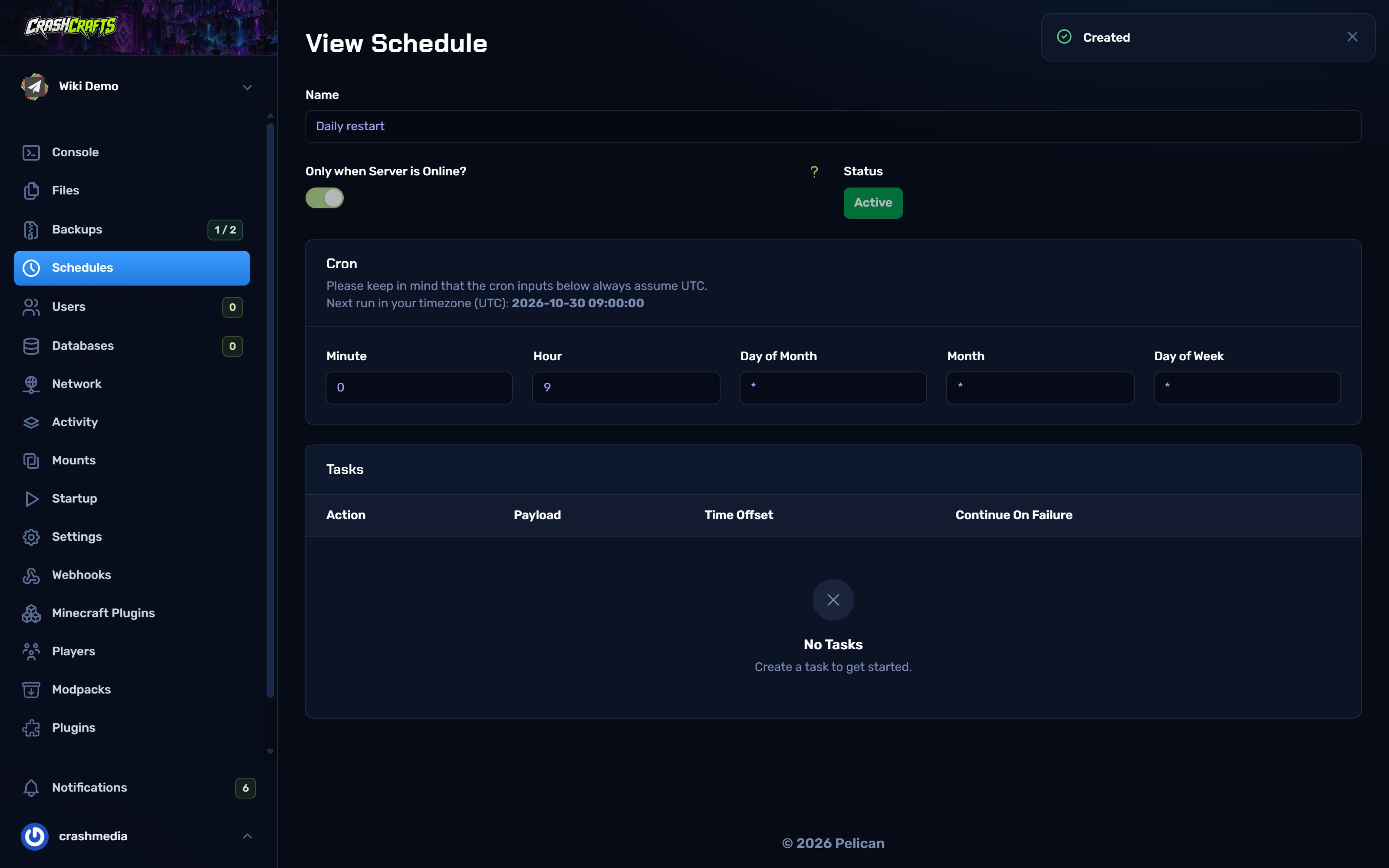
Times are in UTC
The panel says "the cron inputs below always assume UTC". Ottawa / Toronto is UTC−4 in summer (EDT) and UTC−5 in winter (EST):
| You want (Eastern) | Hour to enter (summer, EDT) | Hour to enter (winter, EST) |
|---|---|---|
| 4:00 am | 8 |
9 |
| 5:00 am | 9 |
10 |
| midnight | 4 |
5 |
The schedule page shows Next run in your timezone (UTC), so check it matches what you expect.
Create a daily restart with a warning
Restarting once a day clears memory leaks from plugins and mods and keeps the server snappy.
Open your server → Schedules → the Create Schedule icon at the top left.
Name:
Daily restart.Only when Server is Online? On: there's no point restarting a stopped server.
Enable Schedule? On.
Set the time. Use the Daily button, then change Hour. For 5:00 am Eastern in summer: Minute
0, Hour9, Day of Month*, Month*, Day of Week*.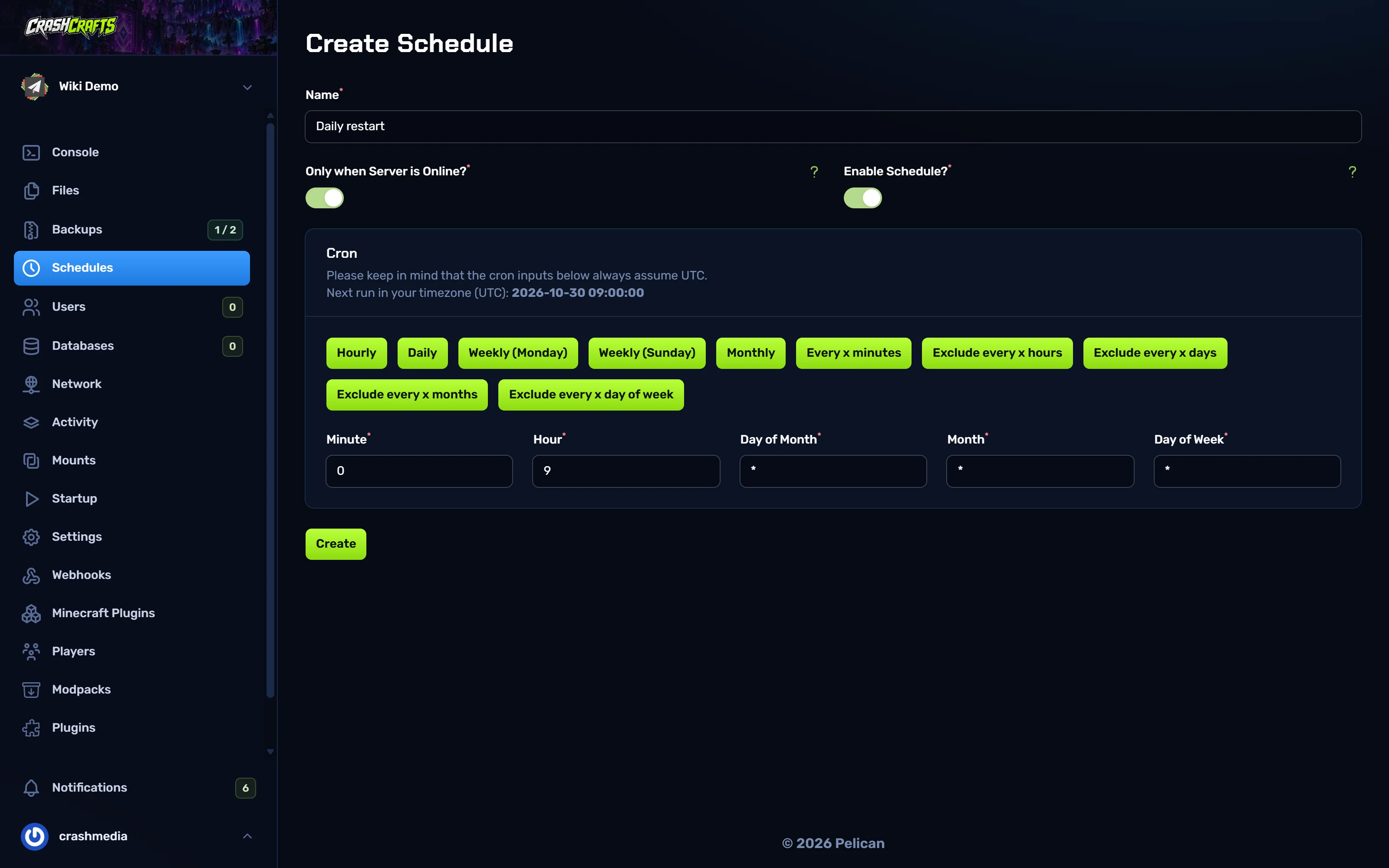
Creating the Daily restart schedule at 09:00 UTC Choose Create. You land on the schedule's page.
Choose Edit, then the + (Create Task) button in Tasks.
First task: Action
Send Command, Commandsay Daily restart in 1 minute. Please find a safe spot!. Choose Create.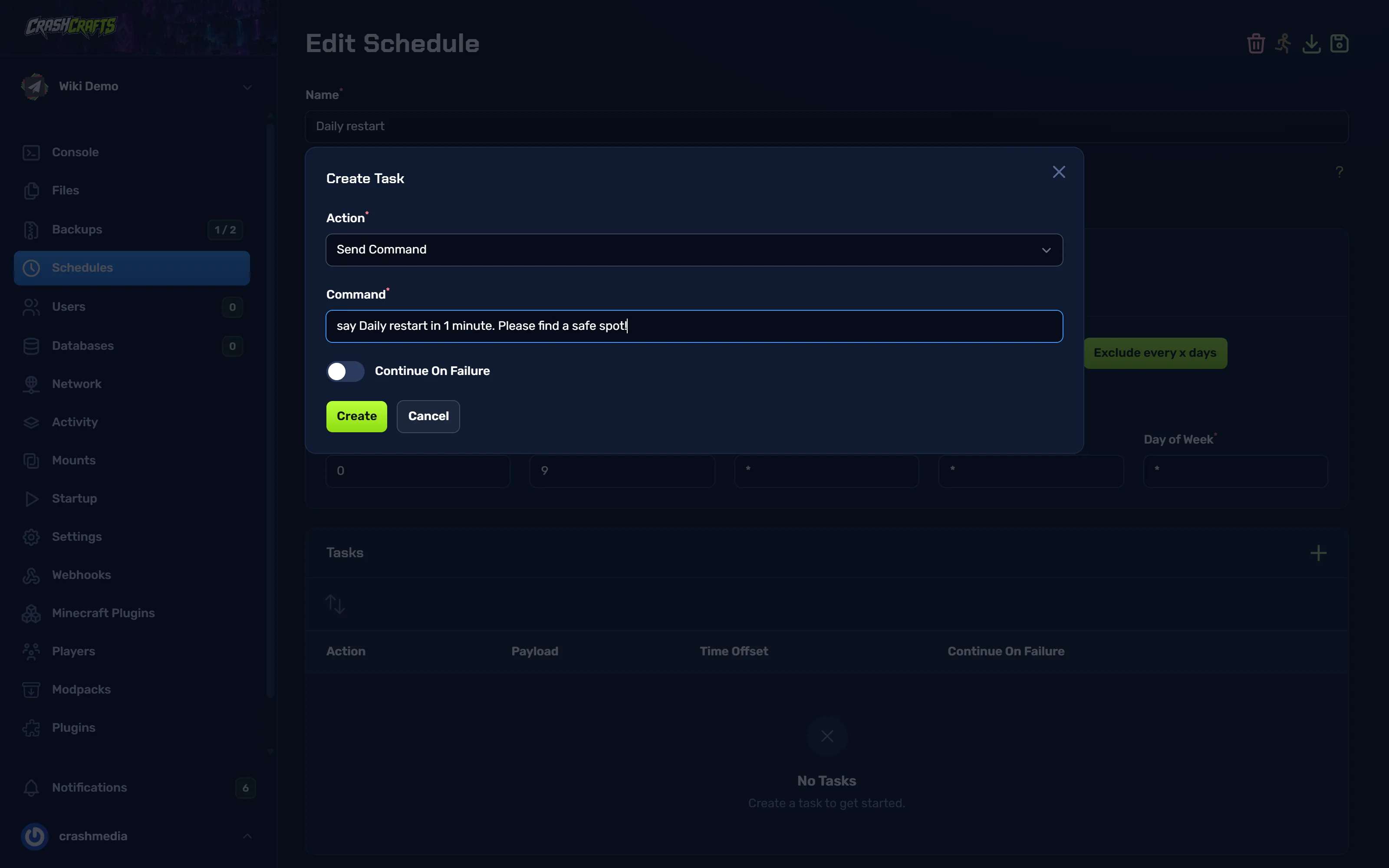
Adding a Send Command task with a warning message Second task: Action
Send Power Action, Power actionRestart, Time Offset60seconds. Choose Create.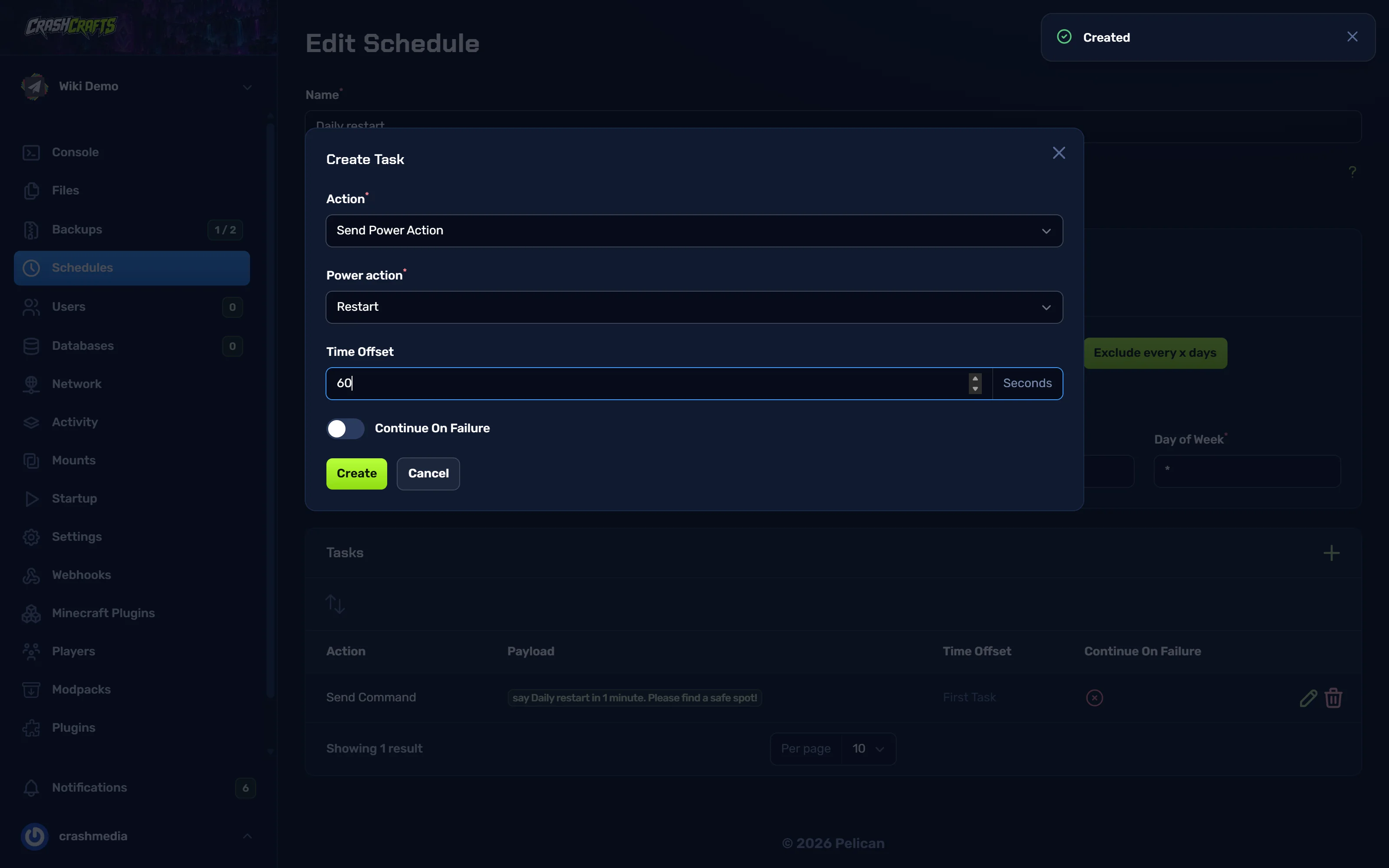
Adding a Restart task, 60 seconds after the warning The schedule now has both tasks in order:
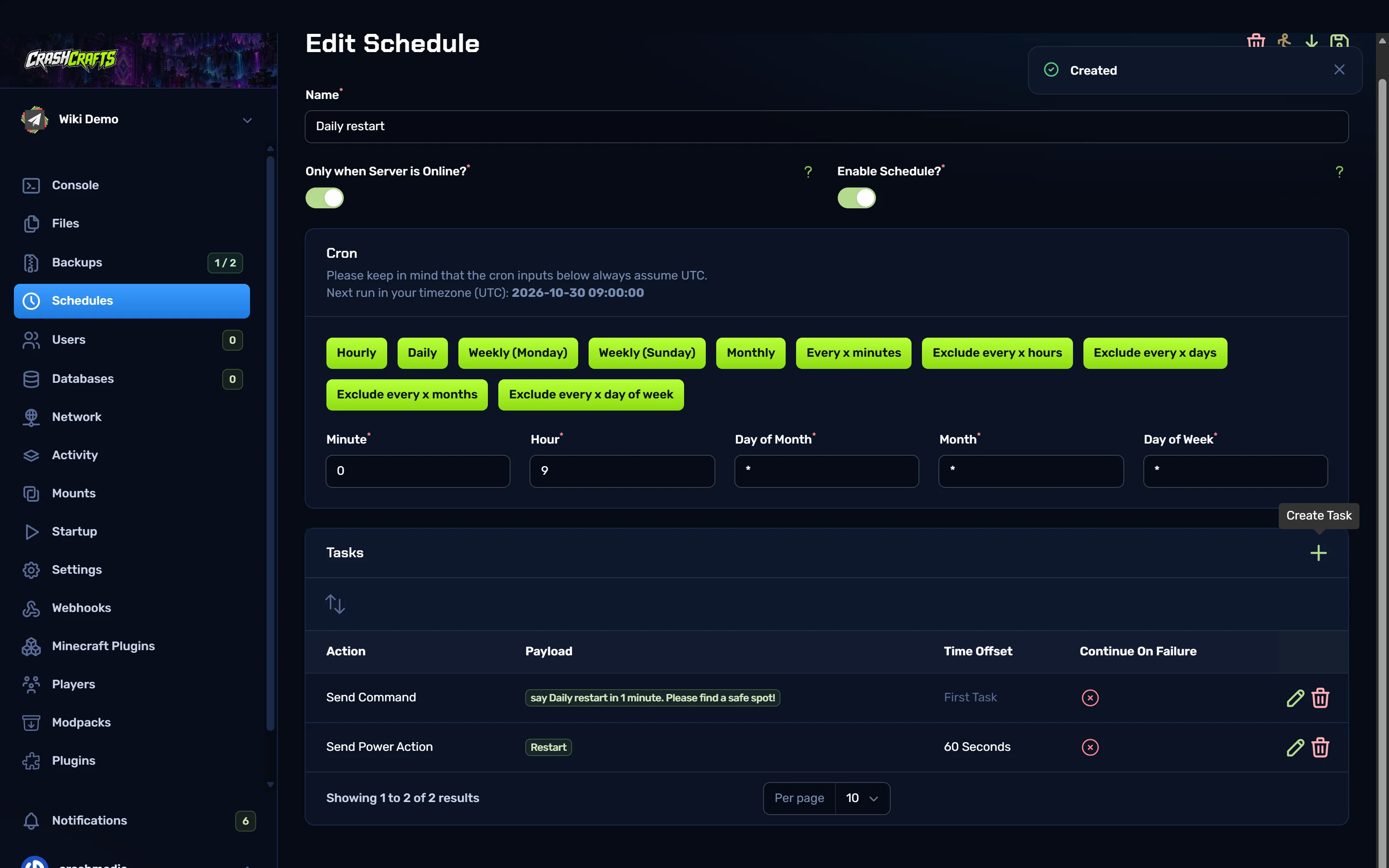
The finished schedule: a warning, then a restart 60 seconds later
Time Offset is how long to wait after the previous task. Want more warnings? Add say … 5 minutes as the first task, say … 1 minute with offset 240, then the restart with offset 60.
To test it, choose Run now on the schedule's Edit page.
Automatic backups
- Create a schedule called
Nightly backup, e.g. at hour7(3:00 am EDT). - Add tasks:
Send Command→save-all(writes everything to disk first).Create Backup, Time Offset10seconds. Optionally list folders to skip, such aslogs.
- Leave at least one backup slot unlocked. When the slots are full, the scheduled backup replaces the oldest unlocked backup. If all of them are locked, the backup fails.
Cron cheat sheet
| Minute | Hour | Day of month | Month | Day of week | Runs |
|---|---|---|---|---|---|
0 |
* |
* |
* |
* |
Every hour, on the hour |
*/30 |
* |
* |
* |
* |
Every 30 minutes |
0 |
9 |
* |
* |
* |
Every day at 09:00 UTC |
0 |
*/6 |
* |
* |
* |
Every 6 hours |
0 |
8 |
* |
* |
0 |
Sundays at 08:00 UTC (0 = Sunday, 1 = Monday) |
0 |
4 |
1 |
* |
* |
The 1st of each month at 04:00 UTC |
Other ideas
| Schedule | Tasks |
|---|---|
| Hourly announcement | Send Command → say Vote for us at …! |
| Weekly clean-up | Delete Files → old logs/*.log.gz |
| Start every morning | Send Power Action → Start (turn Only when Server is Online off) |