

Minecraft
Many plugins can store their data in a MySQL / MariaDB database instead of files. You want one when:
- Several servers share data: LuckPerms ranks across a Velocity network, a shared economy, cross-server bans or chat.
- A plugin stores a lot: CoreProtect on a busy server writes millions of rows; a database stays fast where its built-in SQLite file slows down.
- You want the data safe from a world reset, separate from the server files.
The menu shows how many databases your plan includes next to Databases: 1 / 2 means one used out of two. If it shows 0, your plan has none; contact us to add some.
Databases run on MariaDB on the same machine as your server, so plugins reach them over our private network with no extra delay.
Create the database
Open your server → Databases.
Choose the Create Database icon at the top left of the list.
Database Host: pick the one listed (usually there's only one).
Database Name: something that says what it's for, e.g.
luckperms. The panel adds your server's prefix, shown in front of the box (s22_here), so the real name becomess22_luckperms. Leave it blank and the panel makes up a random name.Connections From: leave
%, which lets your server connect. Only change it if we've asked you to.Choose Create.
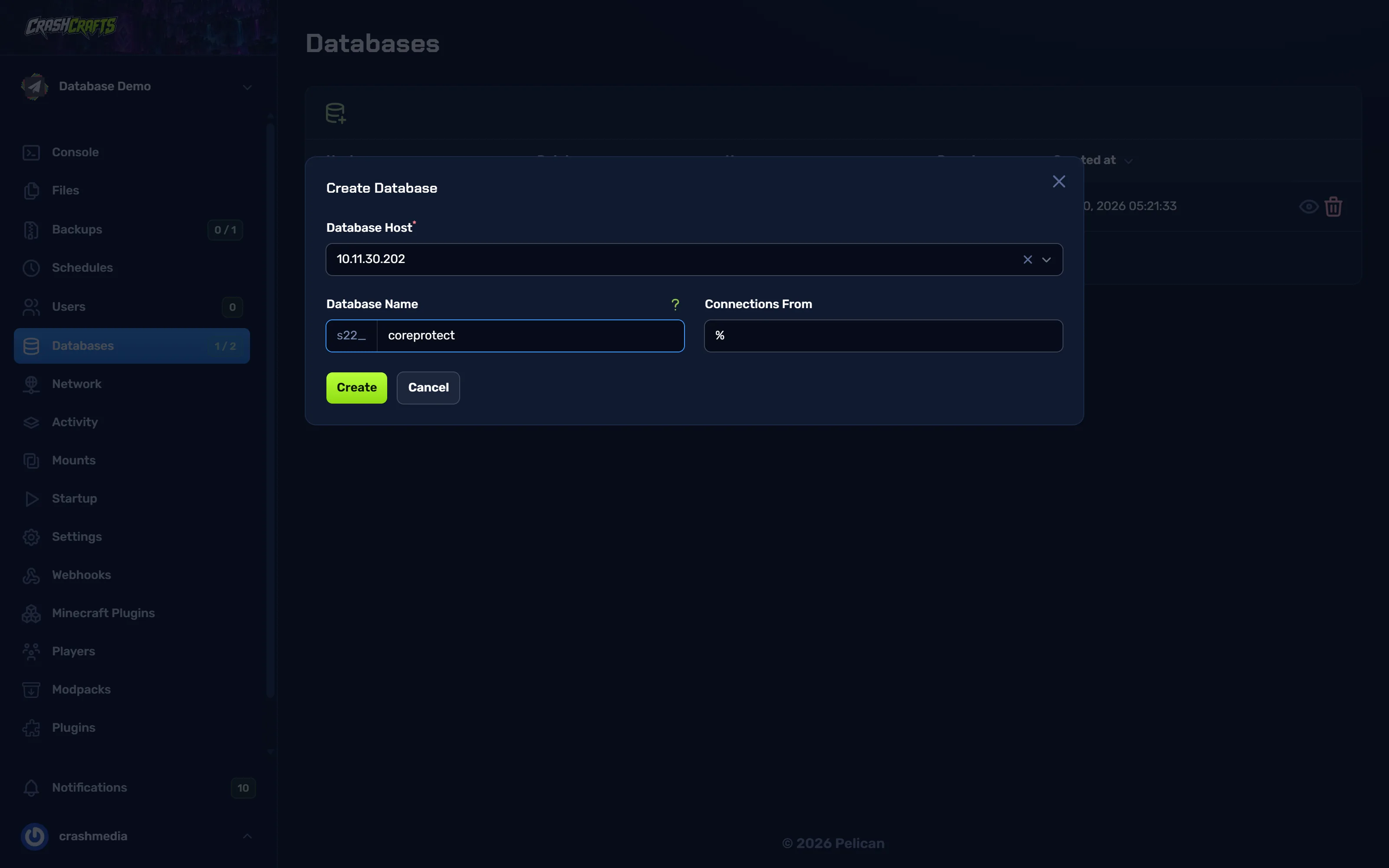
The Create Database form with the host picked, coreprotect typed as the name and % in Connections From
The list now shows the database with its Host, Database name, Username and Remote setting. On the right, the eye opens the full details and the bin deletes the database and everything in it.
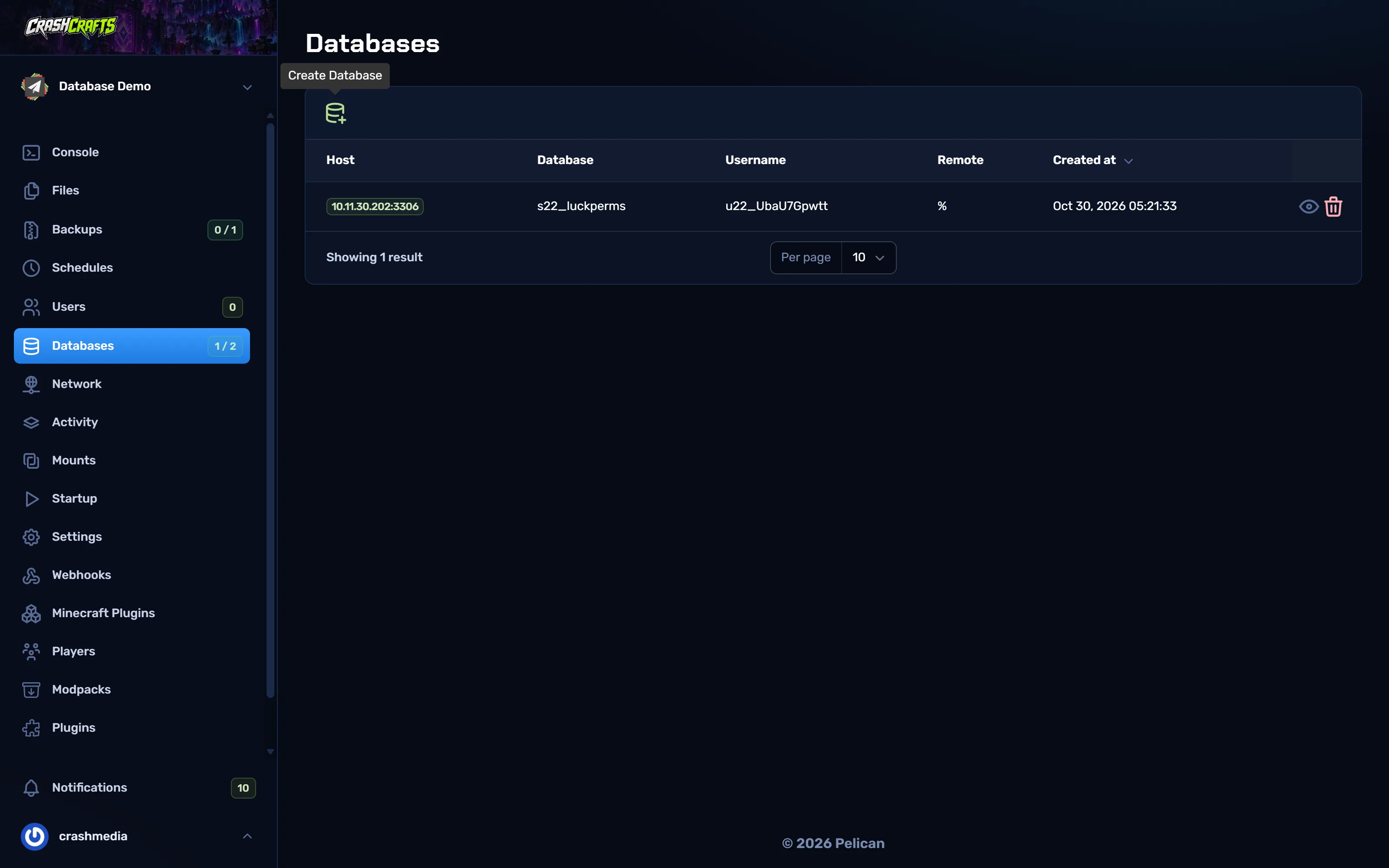
Find the connection details
Choose the eye on the database's row. Every field has a copy button, so you never need to retype anything.
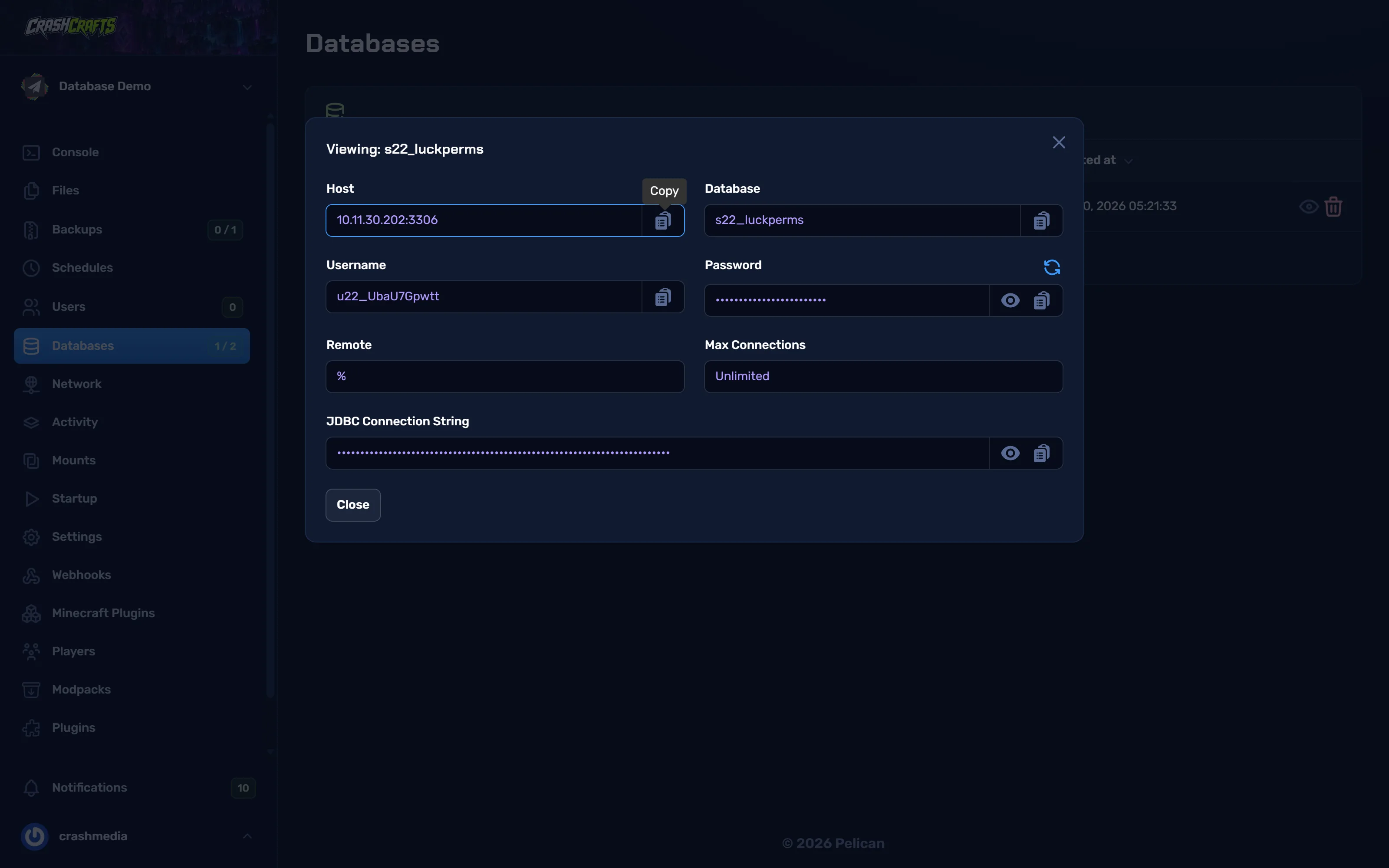
| Value | Where it comes from | Example |
|---|---|---|
| Host | Host, the part before the : |
10.11.30.202 |
| Port | Host, the part after the : |
3306 |
| Database | Database | s22_luckperms |
| Username | Username | u22_UbaU7Gpwtt |
| Password | Password: the eye shows it, the copy button copies it | (long random string) |
JDBC Connection String is all of the above in one line, for plugins that ask for a JDBC URL. It includes the password, so treat it like one.
Connect LuckPerms
Stop the server.
Open
plugins/LuckPerms/config.yml(Paper),plugins/luckperms/config.yml(Velocity) orconfig/luckperms/luckperms.conf(Fabric).Set:
storage-method: mariadb data: address: 10.11.30.202:3306 database: s22_luckperms username: u22_UbaU7Gpwtt password: 'your-database-password'Start. The console should say LuckPerms connected to MariaDB. Your existing ranks don't move by themselves: before switching, run
lp export backup(it writes a file), switch the storage, thenlp import backup.On a network: use the same database and settings on every server and on Velocity, and set a unique
server:name in each server's config, so ranks sync everywhere.
Connect CoreProtect
Stop the server.
In
plugins/CoreProtect/config.yml:use-mysql: true table-prefix: co_ mysql-host: 10.11.30.202 mysql-port: 3306 mysql-database: s22_coreprotect mysql-username: u22_GhIjKlMnOp mysql-password: your-database-passwordStart. CoreProtect creates its tables on first start. Existing SQLite history isn't copied over; keep a backup of
plugins/CoreProtect/database.dbif you need it.
Other plugins
Most plugins use the same five values with slightly different names (host, address, jdbc-url, user…). If a plugin asks for a JDBC URL, it looks like:
jdbc:mysql://10.11.30.202:3306/s22_mydatabase
Choose mysql or mariadb as the type when asked; both work.
Back up your databases
Database contents are not inside your server's files, so panel backups don't include them. To keep a copy:
- Use the plugin's own export (
lp export, CoreProtect purges/exports, economy plugins' backup commands) before big changes, and keep the files. - Or ask us for a database dump.
Troubleshooting
| Error in the console | Fix |
|---|---|
Access denied for user |
Wrong username or password. Copy them again from Databases; rotate the password if unsure. |
Communications link failure / Connection refused |
Wrong host or port. Use exactly the Host shown in the panel. |
Unknown database |
The database name needs the prefix, e.g. s22_luckperms, not luckperms. |
| Plugin falls back to SQLite/H2 | The storage setting isn't mysql/mariadb, or the config file wasn't saved before the server started. |