

Minecraft
Mods need a mod loader: Fabric, NeoForge, Forge or Quilt. Paper and Purpur servers use plugins instead (guide). Players usually need the same mods on their own game, except for server-side-only mods such as Lithium, FerriteCore or Chunky.
Always make a backup first. Installing a modpack can replace your server's files.
Install a whole modpack (one click)
Open your server and choose Modpacks.
Search for a pack, e.g.
All the Mods,Create,Cobblemon. Use the source buttons to search CurseForge, Modrinth, FTB or ATLauncher, and Filters to narrow by Minecraft version or loader.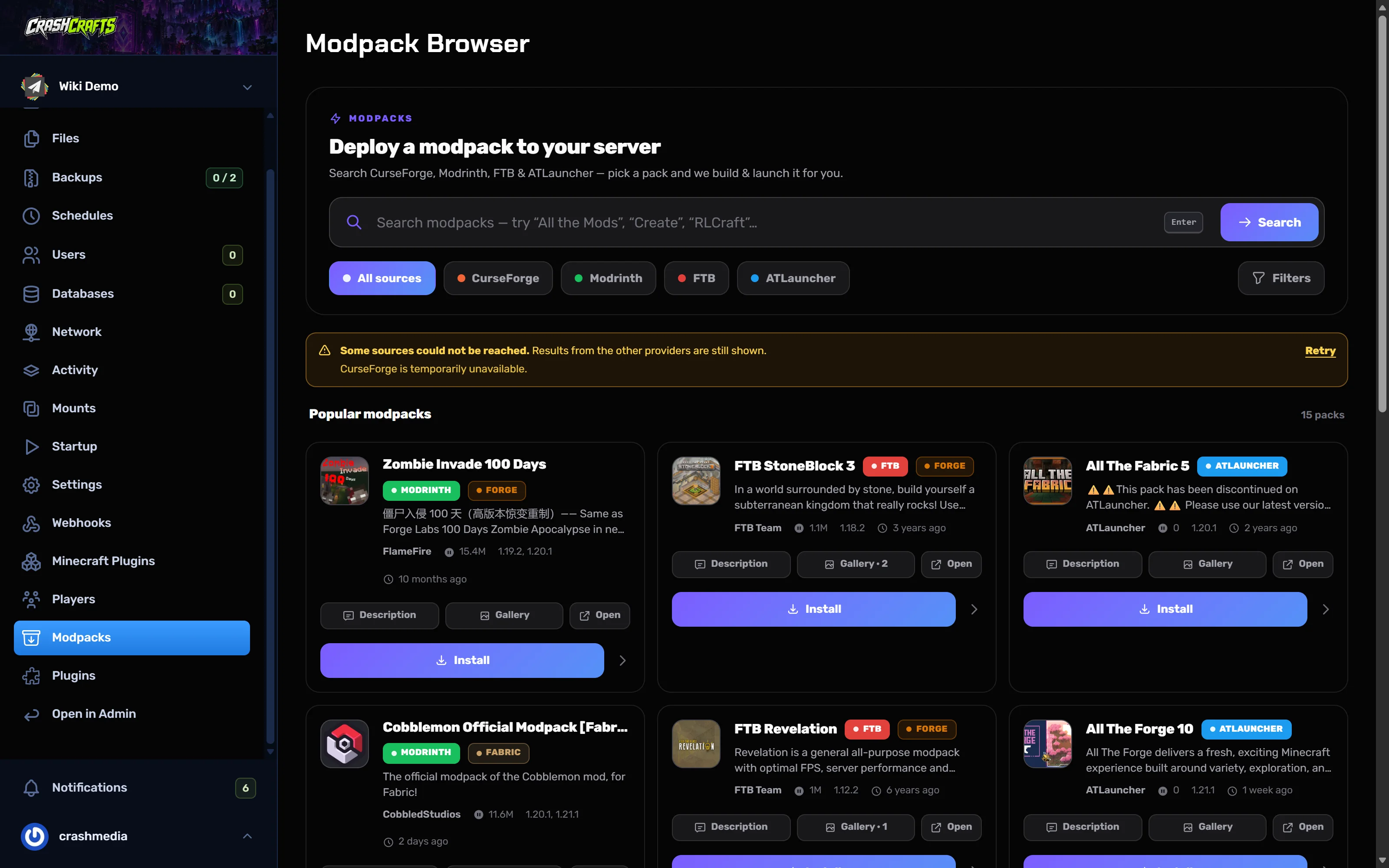
The Modpack Browser, searching CurseForge, Modrinth, FTB and ATLauncher Choose Install on the pack and pick a version. The panel downloads the server files, sets the right loader and Minecraft version, and starts the server.
Watch the Console. A modpack's first start can take several minutes.
Players install the same pack and version in their launcher (CurseForge app, Modrinth app, Prism Launcher, FTB app), then join.
Add single mods
From Modrinth, one click
- Choose Minecraft Plugins. On a Fabric server it lists mods for your exact version and loader.
- Search, then use the download icon on the mod's row.
- Install every dependency the mod needs. Most Fabric mods need Fabric API, and Kotlin mods need Fabric Language Kotlin.
- Restart.
From CurseForge or Modrinth
Use the Plugins page, which switches to Mods on a modded server, then Install and Restart.
Your own jar
Upload the .jar into the mods folder with Files → Upload (or Pull from URL), then Restart.
Server-side performance mods (Fabric)
These don't need to be on players' computers:
| Mod | What it does |
|---|---|
| Lithium | General game-logic optimisation. Safe, no behaviour changes. |
| FerriteCore | Cuts memory use a lot. |
| C2ME | Faster chunk loading and generation using more CPU cores. Use the release or beta, not alpha builds. |
| ScalableLux / Krypton | Faster lighting / networking. |
| spark | Lag profiler (guide). |
| Chunky | World pre-generation (guide). |
If the server won't start after adding a mod
The console usually names the problem near the bottom:
- requires … fabric-api or Missing dependency: install the mod it names.
- Incompatible mods found / Mod X conflicts with Y: remove one of them.
- is a client-only mod or a crash mentioning
net.minecraft.client: a client-only mod (shaders, minimaps, HUD mods) was put on the server. Delete it frommods. - Mixin apply failed: a mod doesn't support this Minecraft version. Update it or remove it.
Remove the last mod you added, start again, and check its page for the right version. See Troubleshooting.