Control Panel
Give a friend or co-admin access to your server without sharing your password. Each person gets their own panel login and only the permissions you choose.
Invite someone
Open your server → Users.
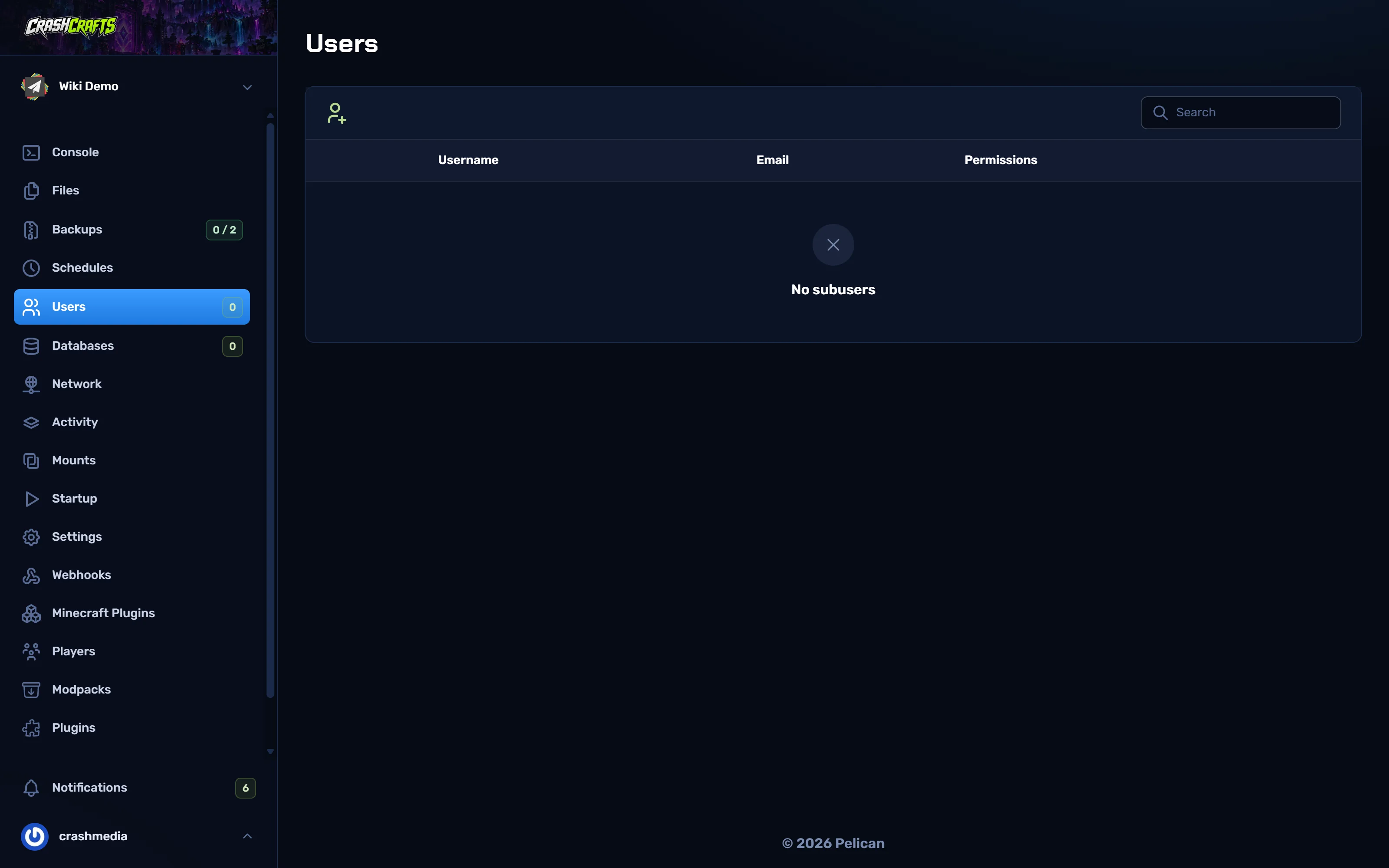
The Users page with no sub-users yet Choose the Invite User icon at the top left.
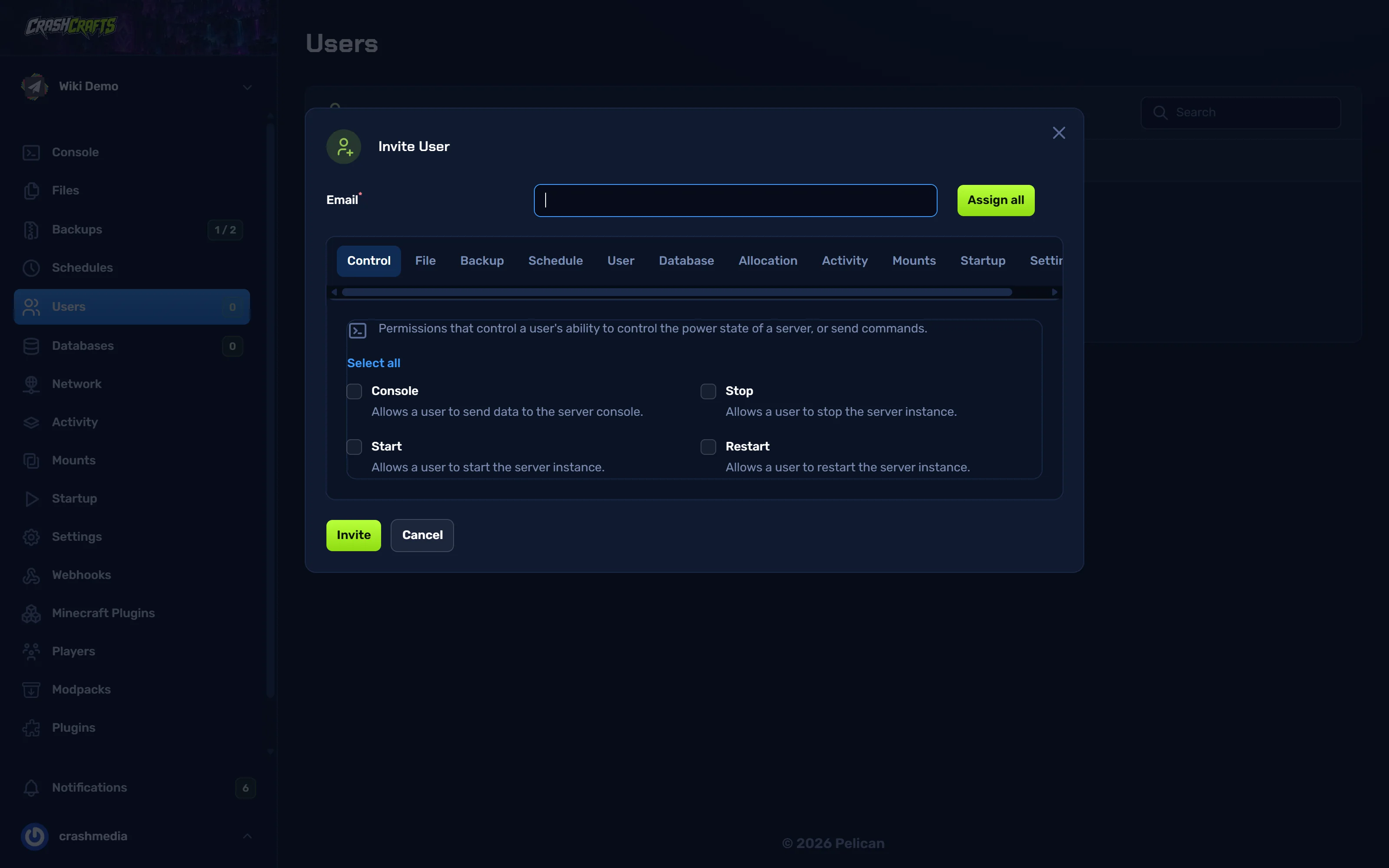
Email: the email they use (or will use) for the panel. If they don't have an account, the panel creates one and emails them a link to set a password.
Pick their permissions. Each tab (Control, File, Backup, Schedule, User, Database, Allocation, Activity, Mounts, Startup, Settings) has its own list. Select all ticks a whole tab; Assign all gives everything.
Choose Invite.
Suggested permission sets
| Role | Give them |
|---|---|
| Moderator (console only) | Control: Console, Start, Restart. Activity: Read. |
| Builder / config helper | The Moderator set, plus File: Read, Read content, Update, Create. Backup: Create, Read. |
| Co-owner | Assign all, then untick User (so they can't add or remove people) and Settings → Reinstall. |
Be careful with:
- File permissions, which let someone read every config, including database passwords inside plugin configs;
- Backup → Restore / Delete, which can wipe progress;
- Settings → Reinstall and Startup, which can break the server;
- User, which lets them add other people. {.is-warning}
Change or remove access
On Users, use the edit icon on a person's row to change their permissions, or the delete icon to remove them. Removing them doesn't delete their panel account; they simply lose this server.
Every action they take shows in Activity with their name.