

Minecraft
Plugins run on Paper and Purpur servers. (Fabric, NeoForge and Forge use mods: see Install mods and modpacks.) Not sure which you have? The Minecraft Plugins page shows your Loader at the top.
Always make a backup before adding or updating plugins.
Option 1: Minecraft Plugins (one click, from Modrinth)
Open your server and choose Minecraft Plugins. The top shows your Minecraft version, loader and how many plugins are installed. The list only shows plugins that support your version and loader.
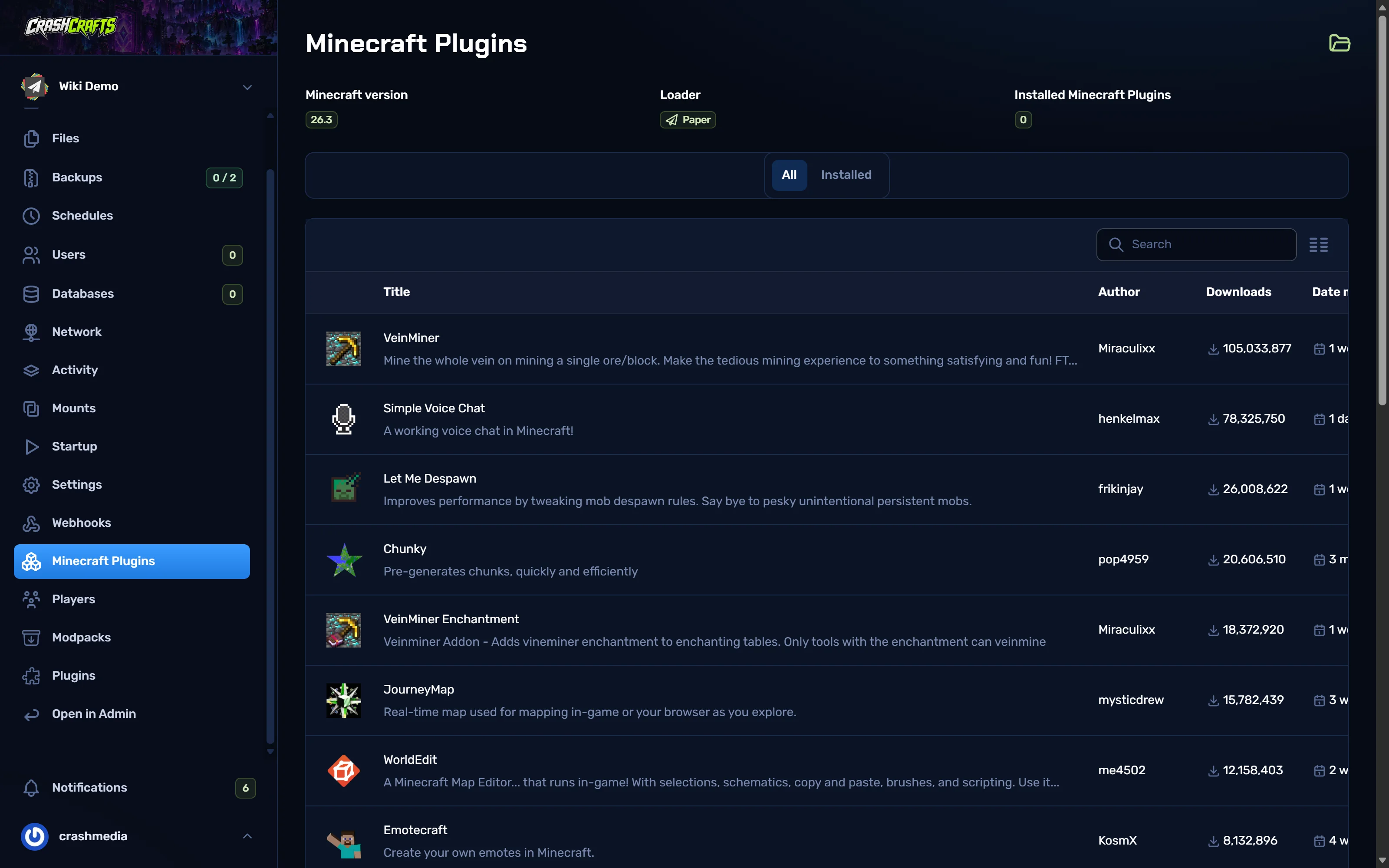
Minecraft Plugins: version, loader and a list of plugins from Modrinth Use Search to find a plugin, e.g.
Chunky.At the right end of its row:
- the download icon installs the latest version;
- the list icon lets you pick an older version.
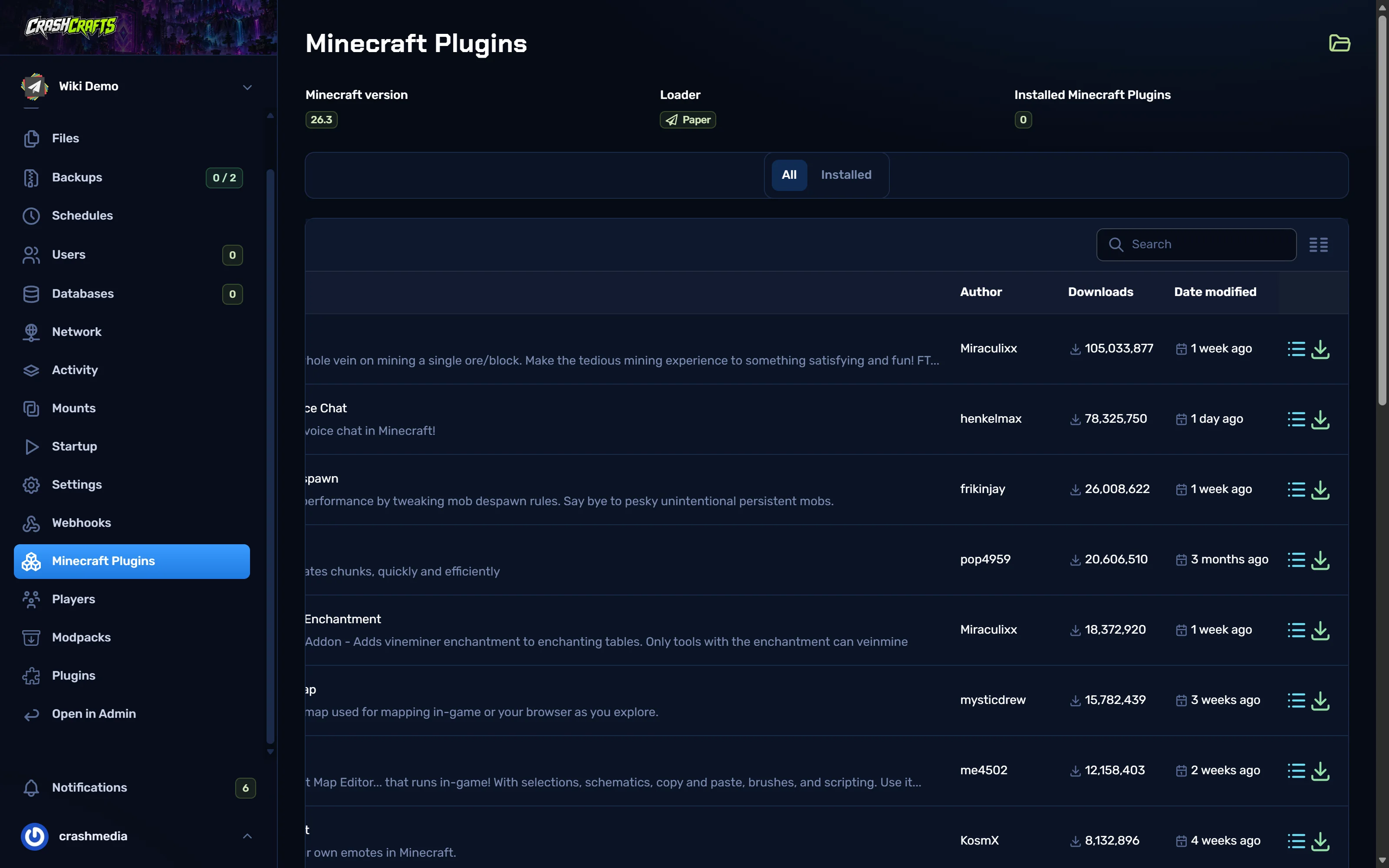
The versions and install buttons at the end of each row A message confirms Installation completed, and the row shows a tick and a delete icon.
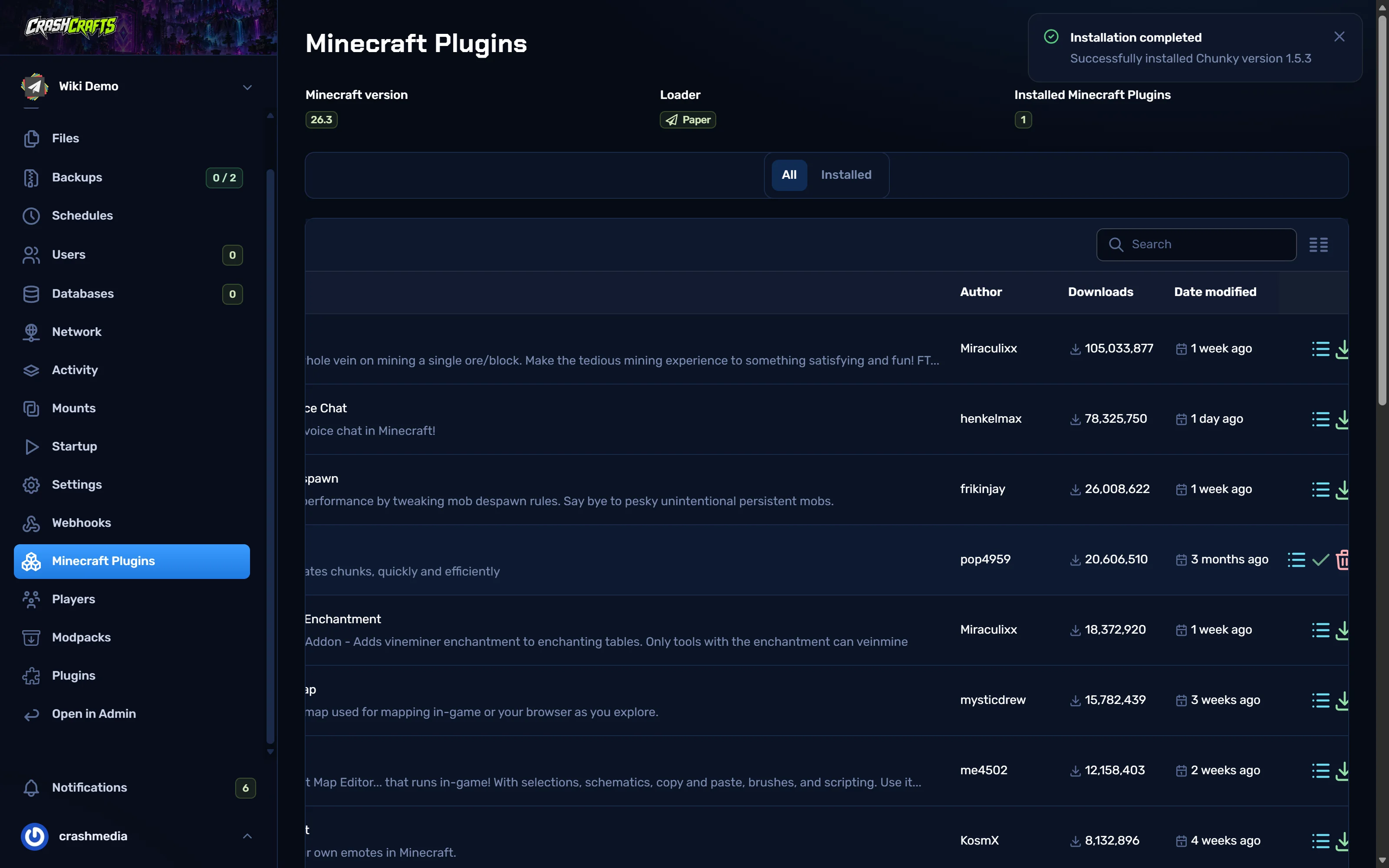
Chunky installed: a tick and a delete icon appear Restart the server. Plugins only load at start-up.
Check it loaded: run
pluginsin the console. Loaded plugins are green.
The Installed tab lists what's installed, with update and delete buttons.
Option 2: Plugins page (CurseForge and Modrinth)
The Plugins page searches both CurseForge and Modrinth. It detects whether your server takes plugins or mods. If it guesses wrong, use the Mods / Plugins switch at the top right.
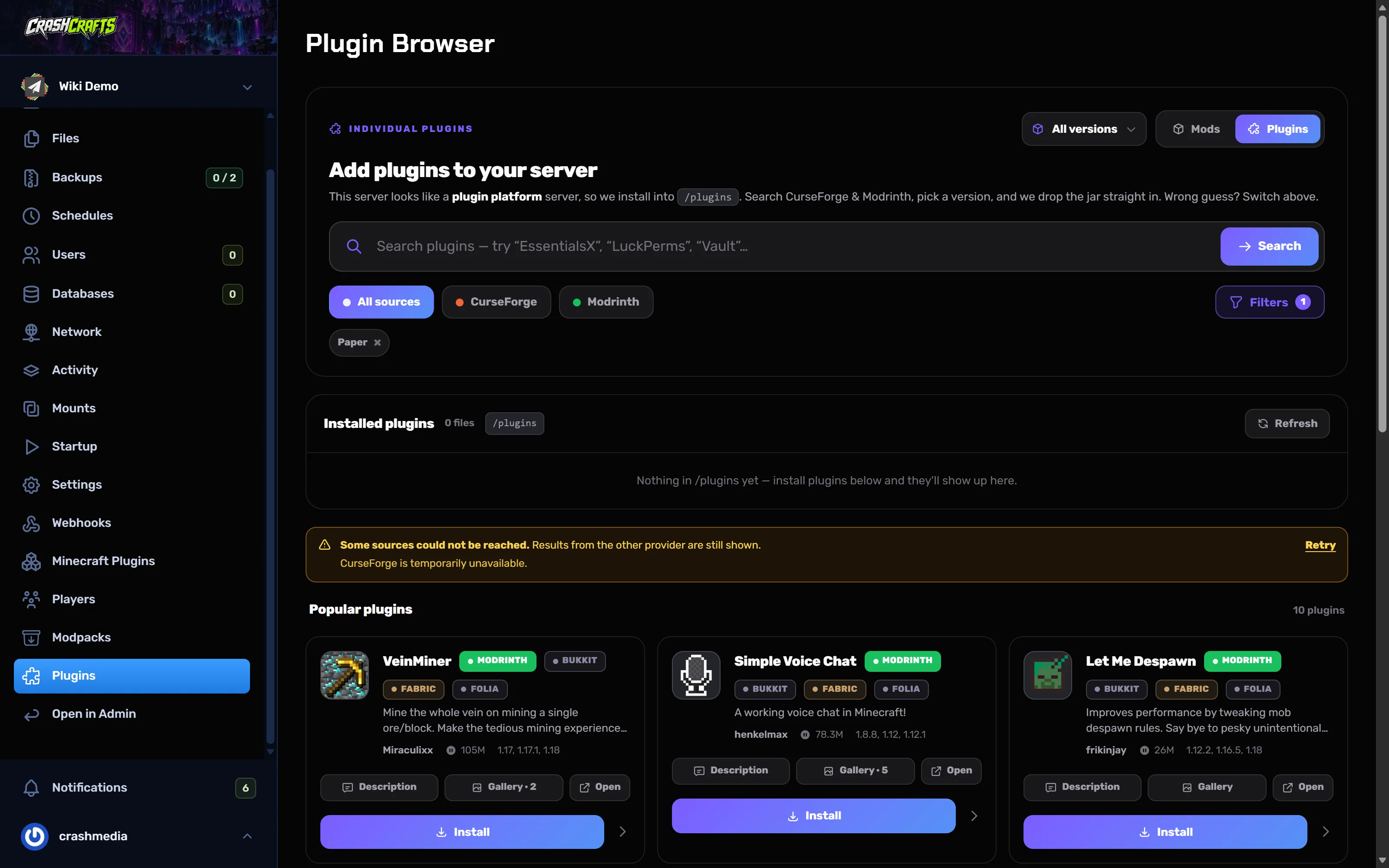
- Type a name and choose Search.
- Choose Install on the plugin. It goes into
/plugins. - Restart the server.
Option 3: Upload your own jar
For plugins from SpigotMC, Hangar or a developer's site:
- Download the
.jarto your computer, or copy its download link. - In Files, open
plugins. - Choose Upload and pick the jar, or Pull from URL and paste the link.
- Restart.
Plugins worth having
| Plugin | Why |
|---|---|
| LuckPerms | Permissions and ranks. Almost every server needs it. |
| EssentialsX | /home, /spawn, /tpa, kits, economy basics. |
| CoreProtect | Logs every block change so you can roll back grief. |
| Chunky | Pre-generates the world so exploring doesn't lag (guide). |
| spark | Finds what's causing lag (guide). Built into Paper already. |
| ViaVersion (+ ViaBackwards) | Lets players on newer (and older) Minecraft versions join. |
Good habits
- Only install what you use. Every plugin costs memory and start-up time, and each one can break on an update.
- Download from the official page (Modrinth, Hangar, SpigotMC, GitHub releases). Re-uploaded jars on random sites are a common way to get backdoored.
- Match the version. A plugin built for an older Minecraft version may load but break things.
- Update one at a time, restarting and testing between each, so you know which one caused a problem.
- Avoid "SNAPSHOT" and "dev" builds on a live server unless you need a fix that's only there.
- Delete the old jar when you update. Two versions of the same plugin (e.g.
Plugin-1.0.jarandPlugin-1.0 (1).jar) cause errors.