

Minecraft
The Startup page holds your server's start command, Java version and variables such as the Minecraft version.
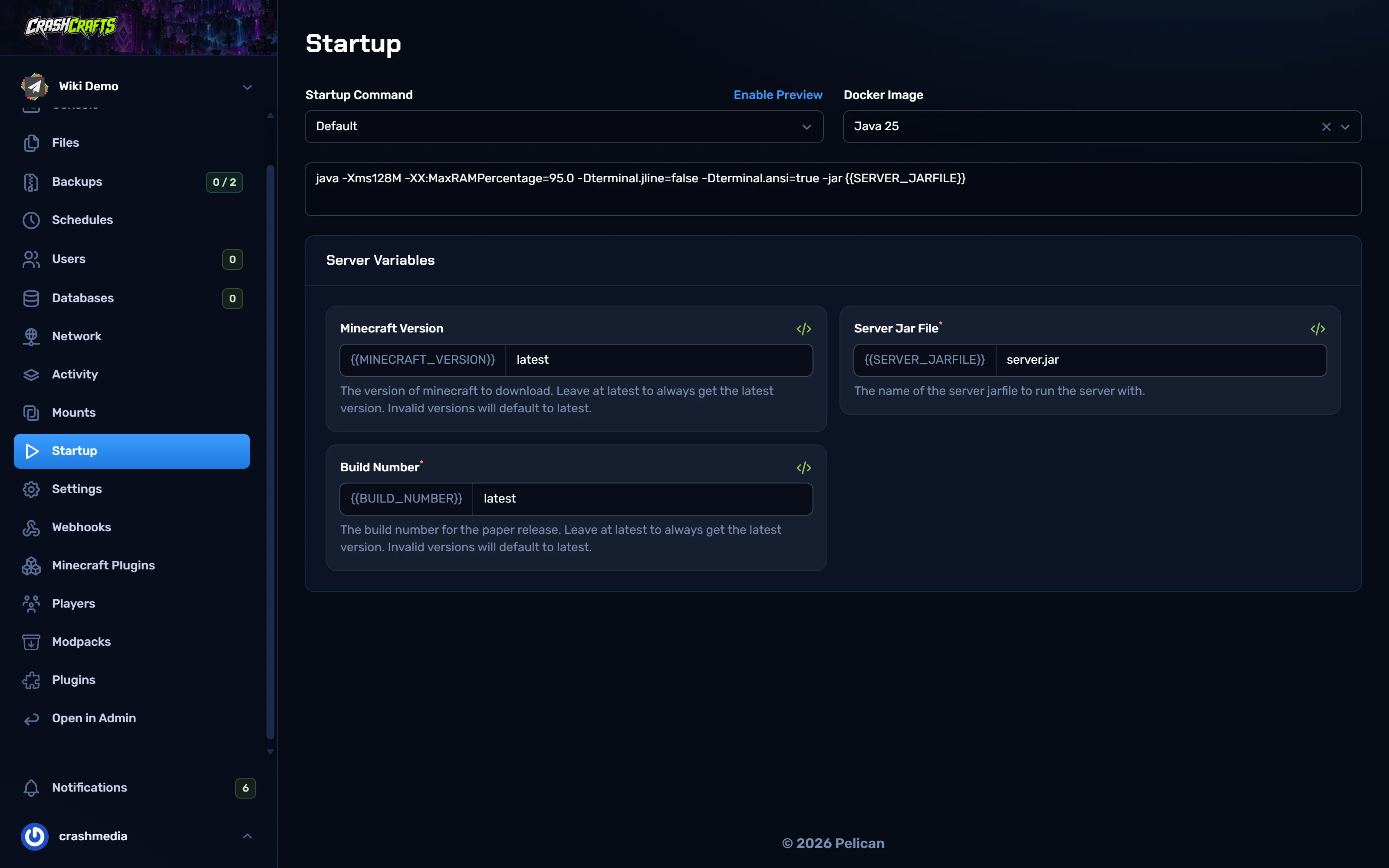
Update to a new Minecraft version (same server type)
Check your plugins or mods support the new version (look on their Modrinth / Hangar / CurseForge page). Update them first, or wait.
Make a backup and lock it.
Stop the server.
On Startup, set Minecraft Version to the version you want, e.g.
1.21.11or26.1.2.latestalways picks the newest version at install time.Leave Build Number on
latest(Paper), or Loader Version onlatest(Fabric).Go to Settings → Reinstall Server → Reinstall. Reinstalling downloads the new server jar. Your world, plugins and configs are kept, but the installer may replace the server jar and loader files.
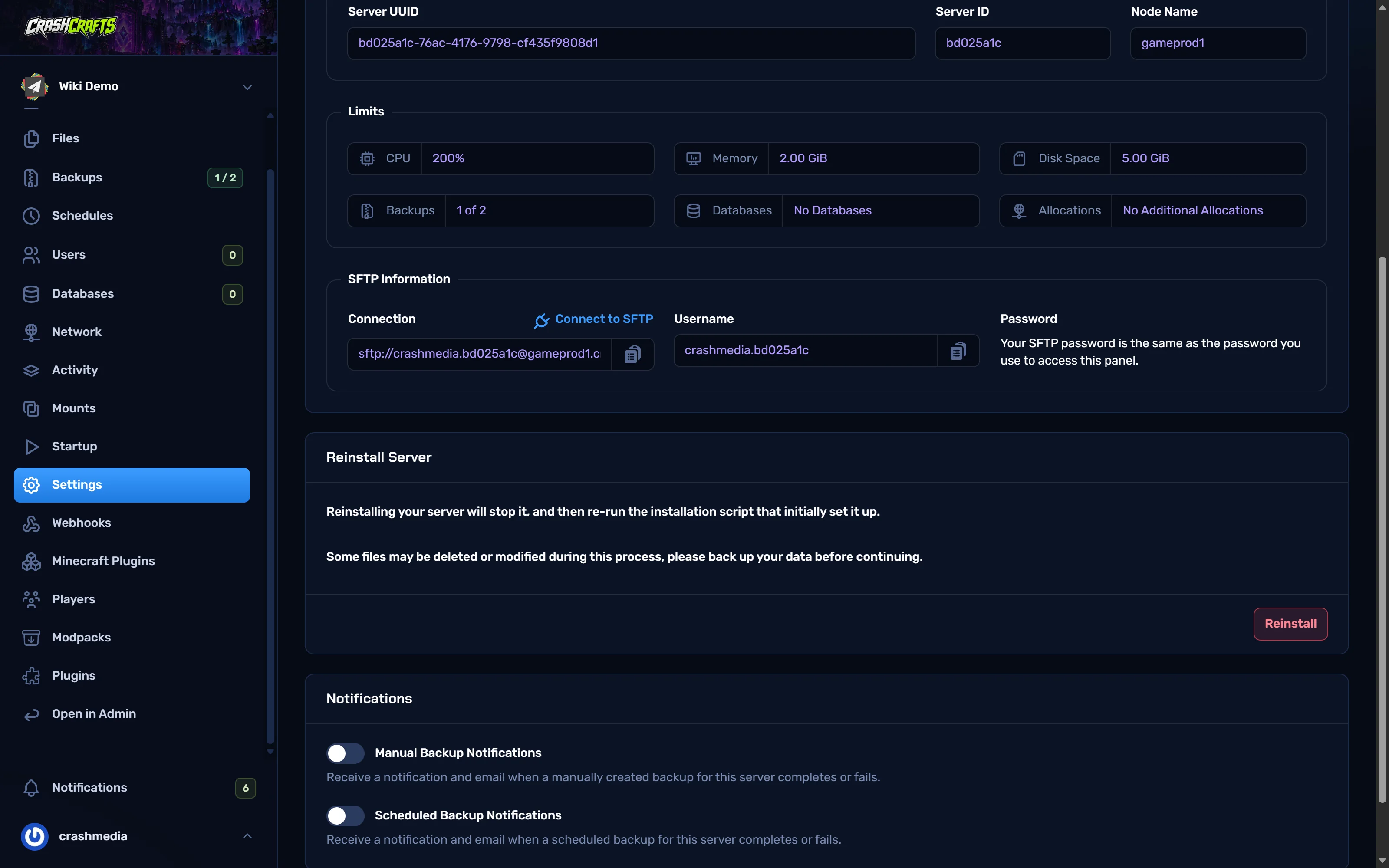
Settings: SFTP details and the Reinstall button Wait for the install to finish, then Start. Watch the console for plugin or mod errors.
Update anything that fails, then restart.
Change the Java version
The Docker Image box picks the Java version. Match it to your Minecraft version:
| Minecraft | Java |
|---|---|
| 1.8 – 1.16.5 | Java 8 (some 1.16 servers also run on 11) |
| 1.17 – 1.20.4 | Java 17 |
| 1.20.5 – 1.21.x | Java 21 |
| 26.1 and newer | Java 25 |
Choose the image, then Restart. Errors like UnsupportedClassVersionError or class file version … mean the Java version is too old.
Switch server type (e.g. vanilla → Paper, or Paper → Fabric)
The server type is the panel's egg. Changing it needs CrashCrafts staff, so contact us. Before you ask, think about what changes:
- Vanilla → Paper/Purpur: easy. Worlds carry over. Paper splits the Nether and End into
world_netherandworld_the_endon first start. - Paper → Fabric/NeoForge: plugins don't work on mod loaders, so you'll need mod alternatives. Worlds carry over, but the Nether/End folders must be moved back inside
world. - Anything → a modpack: usually means a fresh server. Use Modpacks.
Memory and the start command
The default start command uses -XX:MaxRAMPercentage, so Java takes a share of your plan's memory automatically. You don't need to set -Xmx yourself, and setting it higher than your plan makes the server crash. See best practices for how much to give Java.